No-show reminders, for salon owners.
A colour appointment is two hours of chair time, and when the 2pm forgets, that time is gone for good. A quote can be re-sent and an invoice can wait, but an empty chair this afternoon is perishable, and a walk-in rarely appears at the exact moment you need one. This automation confirms every booking the day before and again on the morning, straight from your booking system (Timely, Fresha, Kitomba, whatever you run), with a one-tap way to reschedule. The client who was about to forget turns up, and the one who genuinely needs to move frees the slot early enough for you to fill it.
$900 setup
then $149/month
Book your 15-minute callThe 48-hour clock starts when your 15-minute onboarding call ends.
How a run flows
Every run takes the same path: checked before anything sends, held when a rule says hold, and logged at the end.
Trigger
A booking in your calendar approaches.
Action
A reminder goes out the day before.
Action
An arrival-window text goes out on the day.
Logged
The run is logged, and the calendar holds.
Run your own numbers.
The case for this card is arithmetic, so the arithmetic is yours to write. Every input below is editable.
Typical numbers, adjust to yours. The recovery share is your call too.
Chair time saved a year
$6,188 a year
Against $149 a month, this pays for itself inside a fortnight.
Book your 15-minute call$900 setup, then $149 a month. Live in 48 hours, or setup is free.
The board this builds for you
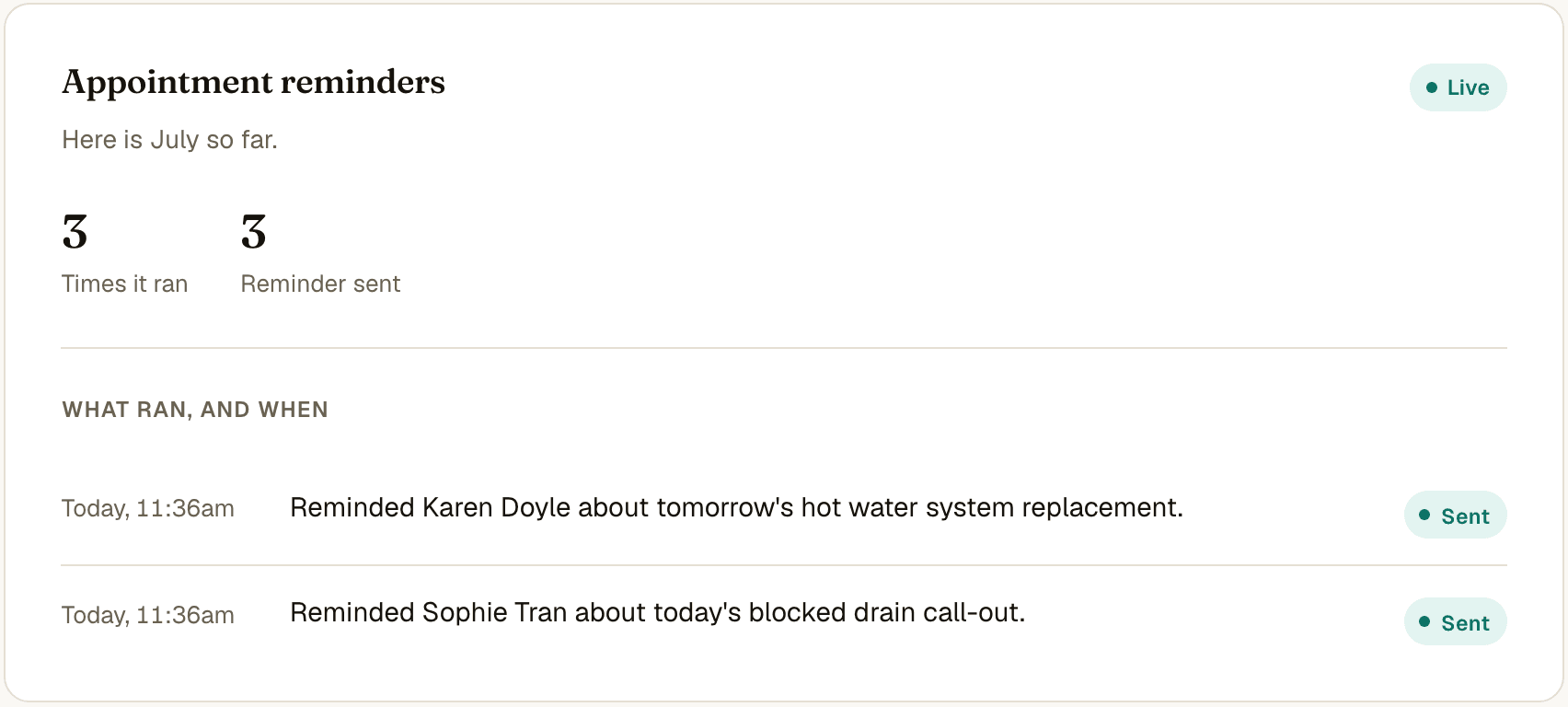
Every reminder in the run above lands on your dashboard as it goes out. A bookings view appears the day this switches on, showing the week ahead, who has been reminded and which bookings held. The last-minute phone booking takes ten seconds to add and gets the same treatment.
How set-up goes
One 15-minute call: we set your reminder wording, your timing and your channel (text, email or both). One consent click connects your calendar (Microsoft 365 or Google). Live inside 48 hours from the end of the call, or setup is free.
You provide: your calendar and one consent click.
What this includes
The fixed price covers everything on this list.
The automation
- Reads your calendar and reminds every client ahead of their booking
- Reminders in your words, by email or text, at the lead time you choose
- Phone bookings join in through a ten-second quick-add
Your dashboard
- A bookings view: what is coming up and who has been reminded
- A plain-English feed: "Reminded Karen Doyle about tomorrow's hot water system replacement."
- Your customer roster, growing with every booking
Setup and care
- One 15-minute call, then we build. Live within 48 hours
- We tune the wording and timing with you across the first month
- The monthly fee keeps it running and covers changes whenever you ask
The price, in full
$900 setup
then $149/month
The monthly covers hosting and monitoring, the run log, wording and timing changes anytime, the monthly numbers email, and support from the people who built it. Text message costs are included at typical sole-trader volumes; heavy volumes get a plain per-message price on the call.
Live in 48 hours, or setup is free.
The 48-hour clock starts when your 15-minute onboarding call ends. Monthly billing starts on go-live day.
Book your 15-minute callAdd a second automation and save 10% on the monthly. Three or more saves 20%.
Questions, answered
Text or email?
Either, or both. Texts get read fastest; the call settles the right mix for your clients.
What happens when someone reschedules?
The reschedule lands with you (or through your booking link if you use one), the calendar updates, and the automation reminds them about the new time instead.
Which calendars does it work with?
Microsoft 365, Outlook and Google Calendar. One consent click on the call.
Will clients find it annoying?
Two touches, timed kindly: the day before and the morning of. That cadence reads as professional care, and clients say so.
What does confirmation actually do?
Confirmations are logged and your morning list splits confirmed from quiet, so your follow-up effort goes only where it is needed.
Hold your slots for people who show up.
Book your 15-minute call$900 setup, $149 a month. The 48-hour clock starts when your 15-minute onboarding call ends.